
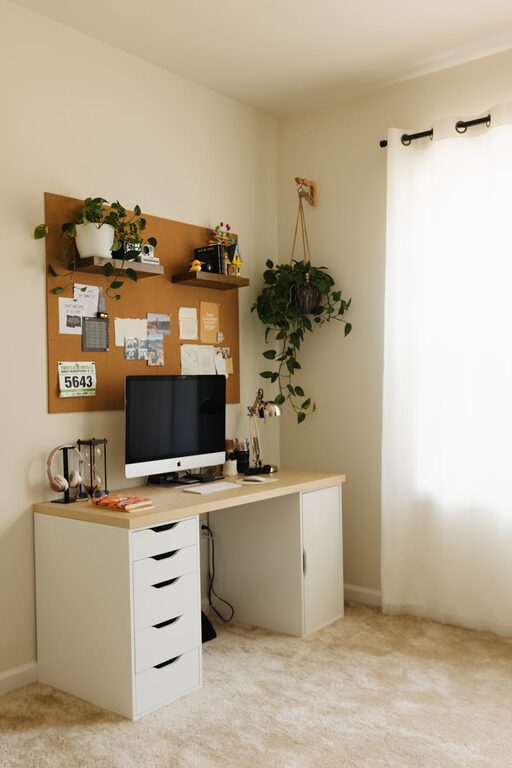


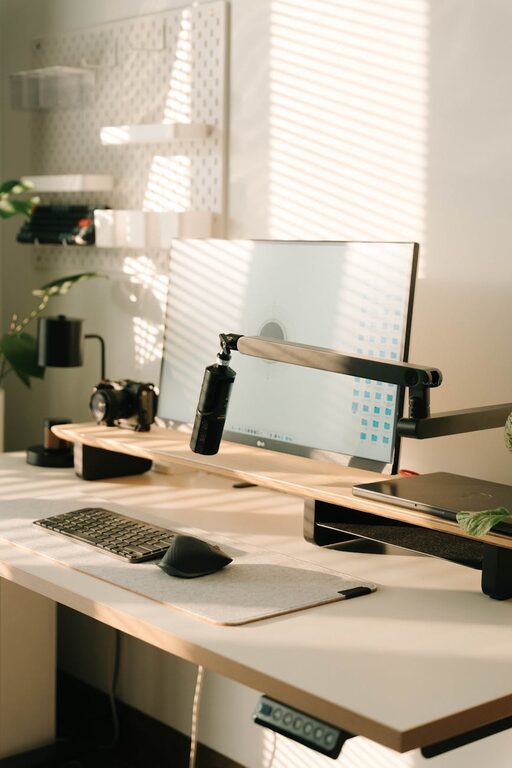





Creating an organized workspace is more than just tidying up—it’s about setting up an environment that supports your productivity and reduces stress throughout your workday. Whether you work from home or in an office, a clutter-free and well-arranged space can help you focus better and feel more relaxed. Here are some simple tips to help you organize your workspace effectively.
Why Organizing Your Workspace Matters
Before diving into practical tips, it’s helpful to understand why organization affects productivity and stress:
– Improved Focus: A clean and orderly space minimizes distractions, allowing you to concentrate on your tasks.
– Efficiency: When your materials and tools are easy to find, you save time and effort.
– Reduced Stress: Clutter can be overwhelming and mentally draining; organizing helps create a calming atmosphere.
– Professional Appearance: A neat workspace leaves a positive impression during meetings or video calls.
Step 1: Clear Your Desk
Start with a blank slate.
– Remove everything from your desk surface.
– Sort items into categories: essentials, non-essentials, and trash.
– Only keep what you use daily on the desk—put away or discard the rest.
This step helps you see what’s truly important.
Step 2: Invest in Storage Solutions
Having the right storage options will make organizing much easier.
– Drawers and Filing Cabinets: Use for documents and supplies you need occasionally.
– Desk Organizers: Small trays, pen holders, and document stands keep items contained.
– Shelves and Bins: Useful for larger items or extra materials.
Label storage containers to quickly identify contents without rummaging.
Step 3: Prioritise Accessibility
Place frequently used items within arm’s reach.
– Your computer, notebook, and phone should be easy to access.
– Store less-used items further away or in drawers.
– Avoid overfilling your desk to maintain free working space.
This setup saves time and minimizes disruption to your workflow.
Step 4: Manage Cables and Electronics
Messy wires can create visual clutter and be a source of frustration.
– Use cable organizers, clips, or sleeves to bundle cables together.
– Label chargers and cords, especially if you use multiple devices.
– Keep your electronic devices, like printers or external drives, in a designated spot.
A tidy electronic setup contributes to a neater overall look.
Step 5: Create Zones Based on Activity
If your work involves different tasks, organizing zones can be helpful.
– Work Zone: Where you do most of your computer work.
– Reference Zone: For books, manuals, or documents.
– Creative Zone: Space for brainstorming, sketching, or planning.
Defining these areas helps keep materials organized according to task type.
Step 6: Use a Planner or Digital Tools
Organizing your workspace also means managing your tasks.
– Keep a physical planner or notebook visible.
– Use digital apps for task management and reminders.
– Schedule regular breaks to declutter and reset your space.
Tracking your tasks alongside an organized workspace supports overall productivity.
Step 7: Personalize Thoughtfully
Adding personal touches can make your workspace inspiring without creating clutter.
– Choose a small plant, a photo, or a motivational quote.
– Avoid overdecorating, which can distract or reduce working space.
A personalized area helps you feel comfortable and motivated.
Step 8: Make Cleaning and Organizing a Daily Habit
Maintain your workspace by dedicating a few minutes each day.
– Clear any new clutter at the end of the day.
– Wipe down surfaces weekly to keep the area fresh.
– Reassess your setup periodically and adjust as needed.
Consistent maintenance prevents the buildup of mess and supports long-term productivity.
Final Thoughts
Organizing your workspace doesn’t have to be overwhelming or expensive. With simple steps like clearing clutter, investing in storage, and planning your space deliberately, you can create a work environment that promotes efficiency and reduces stress. Remember, the goal is to make your workspace work for you—helping you stay focused and motivated every day. Start small, and watch how a tidy space transforms your work experience.